



SmartBrake Support
Explore our guide articles. You’ll find more under “Articles” in the menu.
Where can I get help fastest?
Use the chatbot at the bottom of the page for short questions about use, charging, light signals and troubleshooting.
If the case requires further follow-up, send an email to post@smartgroup.no with the serial number, bike model, a short description and preferably a short video.
User manual for SmartBrake with serialnumber A###
OLDER VERSIONS
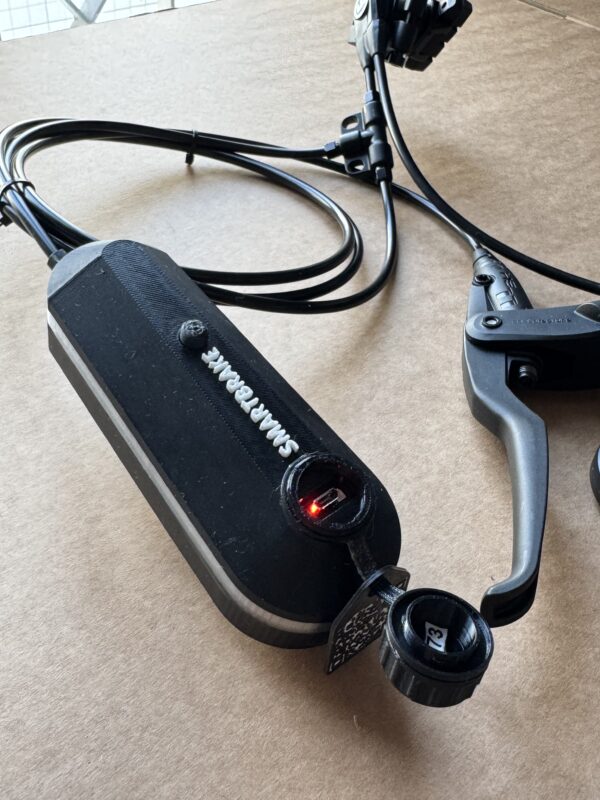
Does your brake unit look different from the one shown above? Then you’re likely using an older unit with previous-generation software. Functionality is the same, but the LED signals in the troubleshooting guide may differ. Check the video guides below, or find the correct user manual in our Google Docs library.
Frequently Asked Questions about Use and Support
Scan the QR code on the brake unit, or the QR code on the introduction sheet included in the box. Both QR codes lead to the SmartBrake support page, where you can find the correct manual based on the serial number of your SmartBrake.
You can also view our digital articles with videos and images here: https://smartgroup.no/artikler/ https://smartgroup.no/en/articles/
Serial number: 001 - 201
The serial number is visible on the underside of the brake unit.
Serial number: 202 - ###
The serial number is visible on the front of the reservoir.
Serial number: A001 - A###
The serial number is located on the inside of the charging cover of the brake unit.
We have a dedicated article showing how to charge SmartBrake and how to replace the batteries in the brake controllers: https://smartgroup.no/slik-lader-du-smartbrake/ https://smartgroup.no/slik-lader-du-smartbrake/
The brake unit is charged using the charger supplied with the SmartBrake system. Older SmartBrake units use Micro-USB, while newer units use USB-C.
Always use a charging cable that fits the connector on your brake unit. If you have received an updated brake unit or a new circuit board, the charging adapter from the old Micro-USB charger can still be used together with a USB-C charging cable.
We have a dedicated article explaining the SmartBrake light signals: https://smartgroup.no/forklaring-av-smartbrake-lyssignaler/ https://smartgroup.no/forklaring-av-smartbrake-lyssignaler/
The light signals show, among other things, whether SmartBrake is active, whether the battery level is low, whether the controller has contact with the brake unit, or whether fail-safe has been activated. You can also ask the chatbot if you are unsure what a light signal means.
We have a dedicated troubleshooting article for SmartBrake: https://smartgroup.no/feilsoking-for-smartbrake/ https://smartgroup.no/feilsoking-for-smartbrake/
First, check that the brake unit is switched on and charged. Then check that the controller has battery power and is within range. If the controller does not connect, it may need to be woken up, moved closer to the brake unit, or paired again.
We have a dedicated article showing how to release SmartBrake from fail-safe: https://smartgroup.no/frigjore-smartbrake-fail-safe/ https://smartgroup.no/frigjore-smartbrake-fail-safe/
SmartBrake has a safety function that can activate the brake if the system loses power or connection. First, check the battery level and light signals on both the brake unit and the controller. If you are unsure, use the chatbot or contact SmartGroup before further use.
A weak or slow brake can be caused by adjustment, clearance between the brake pads and the rim/disc, low battery, or the need for service. If the brake does not feel safe, the bike should not be used until it has been checked.
For SmartBrake Hybrid, you can tighten the adjustment screw under the brake lever to move the brake pads closer to the rim or brake disc. See point 8 in the technician article: https://smartgroup.no/kom-i-gang-med-smartbrake-for-teknikere/ https://smartgroup.no/kom-i-gang-med-smartbrake-for-teknikere/